I still remember the exact moment I got fed up with my old project management setup. Tasks were scattered across three different tools, deadlines slipped through cracks, and my team was burning out from constant context-switching. Sound familiar? That’s when I dove headfirst into ClickUp. But before committing, the big question everyone asks hit me hard: what’s the real deal with ClickUp pricing?
After spending years testing productivity platforms for growing teams and agencies, I’ve seen how pricing can make or break a tool’s adoption. In this article, I’ll break down ClickUp’s plans with the kind of honest insights you won’t find in glossy feature lists. Whether you’re a solo freelancer, leading a mid-sized team, or scaling an enterprise, you’ll walk away knowing exactly which tier fits your needs—and more importantly, why it matters for your workflow and wallet.
Why ClickUp Pricing Actually Makes Sense (Once You Understand It)
ClickUp isn’t just another task manager—it’s an all-in-one workspace that tries to replace multiple apps. That ambition shows in its ClickUp pricing structure. Unlike rigid competitors that nickel-and-dime every feature, ClickUp uses a tiered approach that scales with your needs. The free plan is genuinely usable for starters, while paid tiers unlock the depth that turns chaotic teams into well-oiled machines.
What surprised me most? The value compounds as you grow. Early on, I hesitated at upgrading, thinking “we’re fine on free.” But once storage limits and automation caps started slowing us down, I realized the ClickUp pricing tiers aren’t arbitrary—they’re designed around real pain points like collaboration bottlenecks and reporting gaps.
Breaking Down the ClickUp Plans: Free Forever to Enterprise
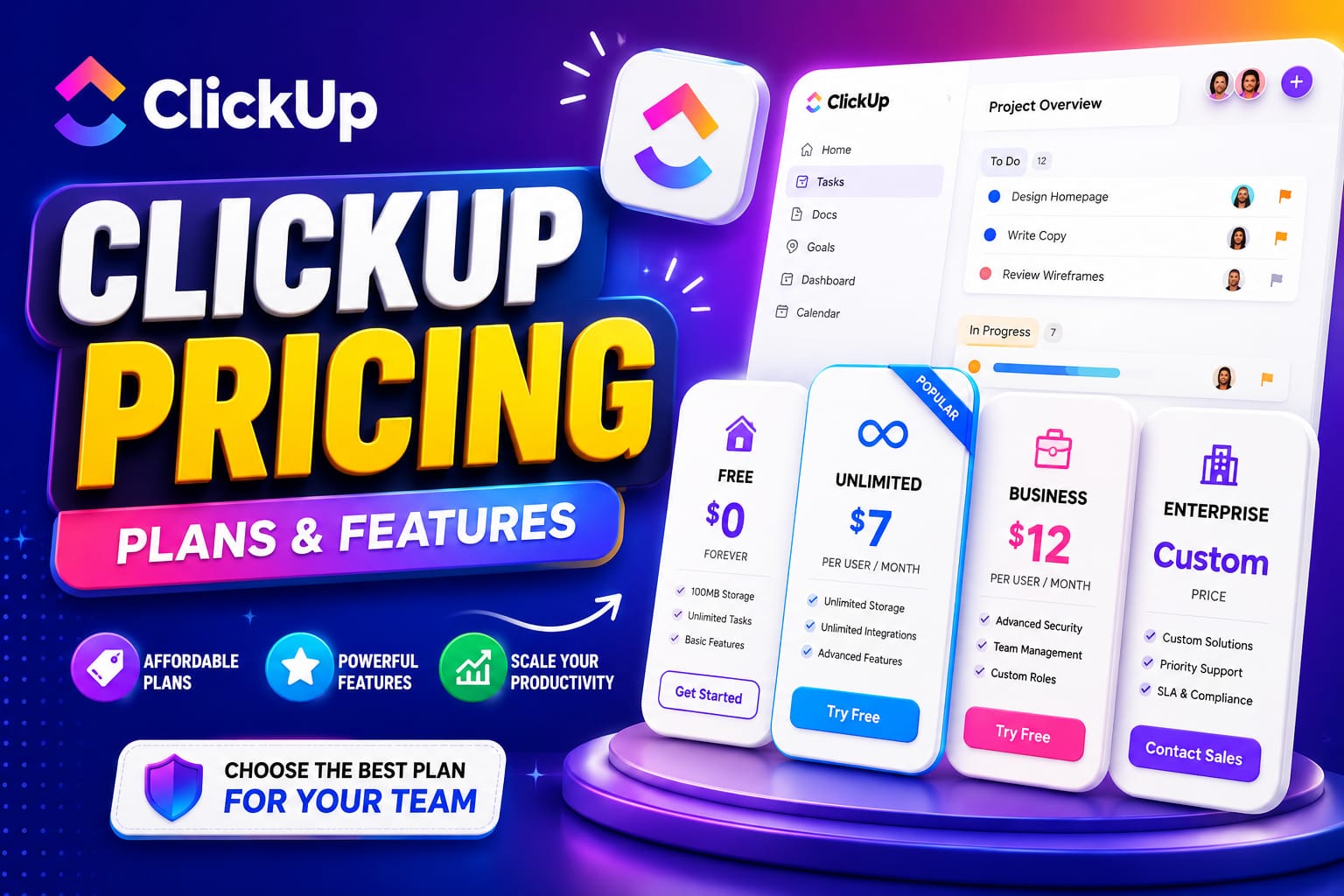
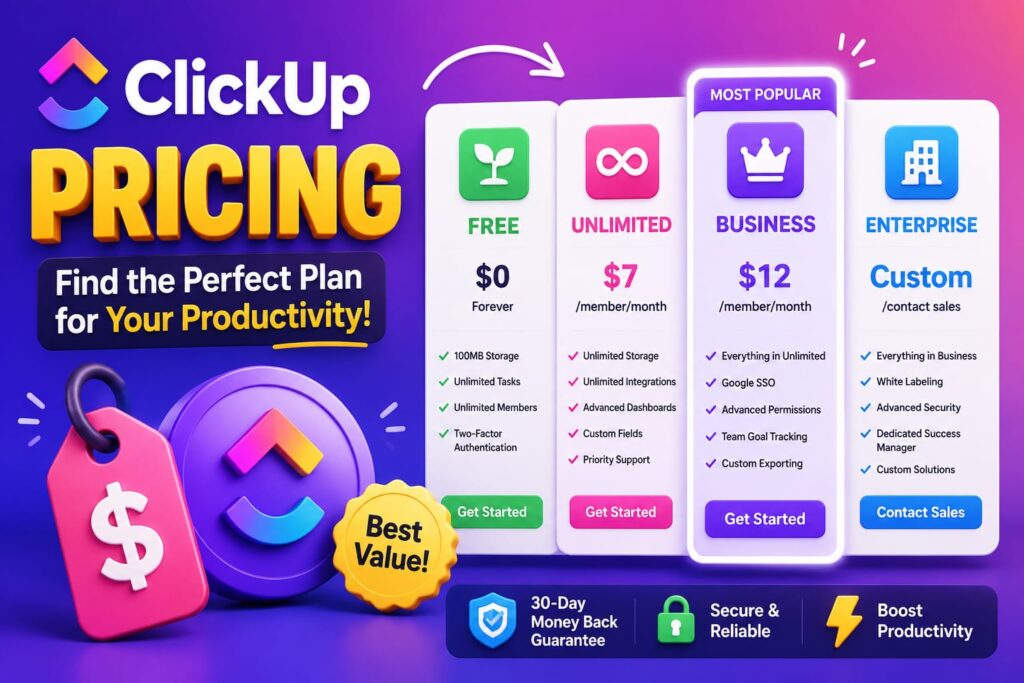
Let’s get into the details. As of 2026, ClickUp offers a Free Forever plan, Unlimited, Business, and custom Enterprise options. (Some older references mention Business Plus, but core offerings have streamlined.) Pricing is per user, with significant savings on annual billing—often 20-30% off monthly rates.
The Free Forever Plan: Surprisingly Capable for Starters
Don’t dismiss the free tier. It gives you unlimited tasks and members, basic views (lists, boards, docs), and solid collaboration features. Storage sits at around 60MB, with limits on automations, custom fields, and advanced views like Gantt charts.
I know teams of 3-5 people running successful freelance operations entirely on Free Forever. It’s perfect for personal use or tiny projects where you don’t need unlimited everything. The catch? You’ll eventually hit walls on storage and advanced reporting. But for testing the waters, it’s one of the most generous free plans in the industry. No credit card required, and you can invite guests easily.
Unlimited Plan: The Sweet Spot for Most Teams ($7/user/month annually)
This is where ClickUp pricing starts shining for growing businesses. At $7 per user per month (billed annually) or $10 monthly, you get unlimited storage, unlimited Spaces, custom fields without heavy restrictions, time tracking, goals, and more views including timelines and workloads.
In my experience, this tier transforms how teams operate. One agency I advised switched here and immediately cut their tool stack from five apps to one. Guests (clients, contractors) get proper permissions, dashboards become truly useful, and automations open up basic workflows.
Real talk: If your team is hitting 5+ active users and dealing with client deliverables, the Unlimited plan in ClickUp pricing delivers massive ROI. The jump from Free feels liberating—suddenly, you stop worrying about hitting caps mid-project.
Business Plan: Power Features for Scaling Teams ($12/user/month annually)
At $12 per user monthly (annual) or $19 monthly, Business adds the serious muscle: advanced automations with multi-step logic, private docs, workload management, sprint reporting, Google SSO, and unlimited activity history.
This is the plan I recommend for most established teams. Why? Because it unlocks the “everything connected” promise of ClickUp. Custom roles, priority support, and deeper integrations mean less manual work and fewer errors. I’ve watched marketing teams reduce weekly status meetings by half thanks to shared dashboards and automated updates available here.
One subtle but huge win: better guest access limits. If you collaborate with external partners often, this tier prevents headaches that plague lower plans.
Enterprise: Custom Solutions for Big Organizations
Pricing is custom—expect to talk to sales. It includes everything in Business plus enterprise permissions, SAML SSO, SCIM provisioning, audit logs, HIPAA/MSA options, white labeling, dedicated support, and massive automation allowances.
For regulated industries or large distributed teams, this isn’t optional—it’s essential for compliance and security. The value here goes beyond features; it’s the peace of mind and specialized onboarding that scales with complexity.
AI Add-Ons: The New Frontier in ClickUp Pricing
ClickUp has leaned heavily into AI with ClickUp Brain and other features. These are often separate add-ons, starting around $7-9 per user/month or credit-based systems. Features like smart task generation, summarization, and predictive insights can dramatically boost productivity—but they add to your ClickUp pricing total.
My advice? Start without AI to master the core platform first. Then trial the add-ons on a few power users. The efficiency gains are real for knowledge work, but not every team needs them immediately.
ClickUp Pricing vs. Competitors: Is It Actually Cheaper?
Compared to Asana, Monday.com, or Notion, ClickUp often wins on value. You get more features per dollar, especially once you factor in replacing multiple tools. However, the all-in-one nature means a learning curve. If your team hates change, the perceived cost might feel higher initially.
A quick comparison I always share:
- Free tier: ClickUp beats most with unlimited users/tasks.
- Mid-tier: Unlimited/Business often undercuts competitors while offering more views and automations.
- Enterprise: Competitive, especially with custom negotiations.
But remember, the cheapest plan isn’t always best. Poor adoption due to under-featured tools wastes far more money in lost productivity.
How to Choose the Right ClickUp Pricing Tier for Your Team
Here’s a practical framework I’ve used with dozens of organizations:
- Assess your current pain points. Storage limits? Collaboration friction? Reporting needs?
- Calculate real usage. Factor in guests, storage for files/docs, and automation frequency.
- Start conservative. Many teams thrive on Unlimited before considering Business.
- Leverage the trial. Test paid features during the 14-day window.
- Think annually. The savings on yearly billing are significant and show commitment.
Pro tip: Review your workspace usage stats in ClickUp before upgrading. It highlights exactly where limits are biting.
Common mistake to avoid: Jumping straight to Enterprise thinking “we’ll grow into it.” Most teams maximize value in Business first.
Hidden Costs and Smart Savings Strategies in ClickUp Pricing
ClickUp pricing is transparent, but watch for:
- AI credits usage (overages add up).
- Inactive users still counting toward seats.
- Custom development or heavy API calls in Enterprise.
Savings moves:
- Annual billing.
- Remove unused seats regularly.
- Use guest permissions strategically instead of full licenses.
- Negotiate for larger teams—ClickUp is often flexible.
In one case, a client reduced their bill by 25% simply by auditing seats and shifting to annual payments.
Real-World Stories: How Teams Make ClickUp Pricing Work
Take Sarah’s marketing agency: Started on Free, upgraded to Unlimited at 8 users. Six months later, Business unlocked reporting that won them better client retainers. Their ClickUp pricing investment paid for itself through faster delivery and fewer revisions.
Or the software dev team that used Enterprise features for compliance while integrating deeply with their Git workflows. The custom support made rollout smooth across 200+ users.
These aren’t hypotheticals—they reflect patterns I’ve seen repeatedly. The right ClickUp pricing tier aligns tools with team maturity.
Making the Most of Your Investment
Once on the right plan, focus on adoption. Set up templates, train on key views, and establish workflows early. ClickUp rewards investment with compounding returns: one dashboard can replace three weekly emails.
Explore the huge template library and community for inspiration. The platform evolves fast—new features often roll out first to higher tiers.
Final Thoughts on ClickUp Pricing in 2026
After all the analysis, ClickUp pricing stands out as one of the more thoughtful models in productivity software. It balances accessibility with serious power, letting teams grow without immediate sticker shock. The Free plan hooks you legitimately, Unlimited delivers everyday excellence, Business adds strategic depth, and Enterprise handles the heavy lifting.
The real question isn’t “Is ClickUp cheap?” but “Does this platform save more time and money than it costs?” In most cases I’ve witnessed, the answer is a resounding yes—provided you pick the tier that matches your reality today while leaving room to scale.
Ready to optimize your workflow? Head to ClickUp, start with what fits, and iterate. Your future self (and your team) will thank you for making an informed choice on ClickUp pricing.